

Heads up: some links in this post are affiliate links, which means HenkTek may earn a commission if you buy through one. It costs you nothing extra and it does not change what we recommend.
Hurricane season starts June 1. If you’re running a business in Fort Myers or anywhere in Southwest Florida, you already know what that means. Power outages, flooding, wind damage, and the kind of chaos that doesn’t care about your quarterly goals. But your data is more fragile than your building.
FEMA says roughly 40% of small businesses never reopen after a major disaster. And a big reason for that? They lose everything. Customer records, invoices, contracts, email history, project files. All of it, gone. We saw it happen after Hurricane Ian. Businesses that had their only backup sitting on a hard drive in the server closet lost years of work in a single afternoon.
The good news is that setting up a solid cloud backup doesn’t take long and it doesn’t cost much. You just have to do it before the storm, not during.
Why local only backup isn’t enough in Fort Myers
A lot of small businesses think they’re covered because they’ve got an external hard drive or a NAS box in the office. Those are great for everyday stuff. Quick file recovery, accidental deletions, that kind of thing. But if your office floods or loses power for a week, that local backup goes down with everything else.
During Hurricane Ian in 2022, parts of Fort Myers were without power for over a week. Some areas in Cape Coral and Bonita Springs had standing water in commercial buildings for days. If your backup drive was sitting under a desk or on a shelf in the server room, it was toast.
Cloud backup solves this because your data lives somewhere else entirely. A data center in Atlanta or Virginia or wherever your provider hosts it. Your office can take a direct hit and your files are still sitting there, waiting for you to log in from a laptop at a hotel or a friends house.
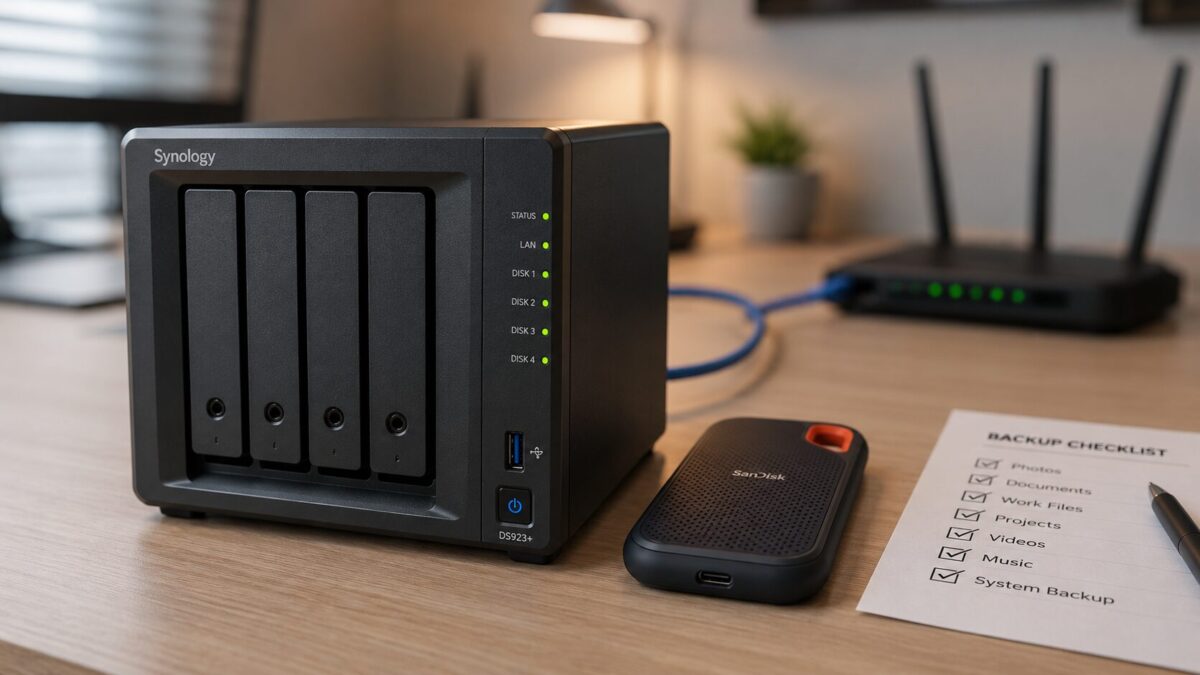
The cloud backup checklist (do this before June 1)
Here’s a quick rundown of what to get in place. None of this is complicated, but all of it matters.
1. Pick a cloud backup service. For most Fort Myers small businesses with fewer than 10 computers, Backblaze Business is the simplest option at $99/year per computer with unlimited storage. If you’ve got servers or more than a handful of machines, iDrive Business starts around $99.50/year and covers unlimited devices under one plan. Both run in the background once you set them up.
2. Back up locally too. Cloud backup is your safety net, but a local NAS gives you fast recovery for everyday issues. The Synology DS225+ is what we recommend to most of our Fort Myers clients. It’s about $365 for the diskless unit, you add your own drives, and it handles automated backups for your whole office. We actually wrote a full review of the DS224+ if you want the deep breakdown.
3. Grab a portable SSD for grab and go backup. Keep one loaded with your most critical files, updated weekly, and stored in a go bag or a fireproof safe. The Samsung T7 Shield 2TB is dust and water resistant (IP65 rated), handles drops from 3 meters, and reads at 1,050 MB/s. The 2TB model has been swinging with the memory shortage, so check the live price before you buy. It’s still the drive I hand people for emergency backup.
4. Test your backups. This is the step everyone skips. Set a calendar reminder for the last week of May to actually restore a file from your cloud backup and from your NAS. If you can’t get your files back, the backup is useless. We see this all the time with Fort Myers businesses who think they’re covered but haven’t tested a restore in months.
5. Document your recovery plan. Write down (yes, on paper too) where your backups live, who has the login credentials, and what the restore process looks like. If you’re the only person who knows how to get into the cloud backup account and you’re stuck in Naples dealing with a flooded house, your team needs to be able to access that info without you.
The 3 2 1 rule still works
IT people love throwing around the “3 2 1 backup rule” and it’s still the best framework out there. Keep 3 copies of your data, on 2 different types of media, with 1 copy offsite. So that’s your working files on your computers, a local copy on your NAS or external drive, and a cloud copy somewhere far away from Southwest Florida.
If you do just those three things before June 1, you’re already ahead of most small businesses in the Fort Myers area. Most of them won’t think about backup until the storm is in the Gulf, and by then it’s too late to upload terabytes of data on a residential internet connection.
Don’t forget: phishing spikes during hurricane season
One more thing worth mentioning. Cybersecurity researchers have documented spikes in phishing attacks during and after major storms. Scammers send fake FEMA emails, bogus insurance claims, phony disaster relief links. Your employees are already stressed and distracted, which makes them easier targets. Having good backups means even if someone clicks the wrong link and ransomware locks your files, you can recover without paying a dime.
We covered this in more detail in our post on AI phishing emails targeting Fort Myers businesses. Worth a read if you haven’t seen it yet.
Need help setting this up? HenkTek is local
We’re based right here in Fort Myers and we’ve helped dozens of local businesses get their backup and disaster recovery plans in place before hurricane season. If you’d rather have someone handle the setup for you, that’s literally what we do. We’ll audit what you have now, recommend the right combination of local and cloud backup, set everything up, test it, and document it so your team knows what to do if the worst happens.
Give us a call at (239) 234-2334 or reach out through our contact page for a free consultation. Don’t wait until the first tropical storm warning to figure this stuff out.