

Hurricane season starts June 1. That’s about five weeks out as I’m writing this. If your IT prep plan is “we’ll figure it out if it happens,” that plan failed Fort Myers businesses during Ian, again during Helene, and a third time when Milton came through. The ones that bounced back fastest weren’t lucky. They had cables labeled, UPS units tested, and remote access set up months earlier.
This post is about what hurricane IT prep Fort Myers businesses should be doing right now, before the first cone of uncertainty shows up on the news. Only the stuff that matters when the power dies and the cell tower nearest your office takes a direct hit.
Audit your on-site hardware before storm season
Walk into your server closet. Look at the floor. Is anything sitting on it that would be ruined by an inch of water? Switches, the small office NAS, that random external hard drive someone bought in 2022 and never moved. All of it should be off the floor and ideally above 18 inches.
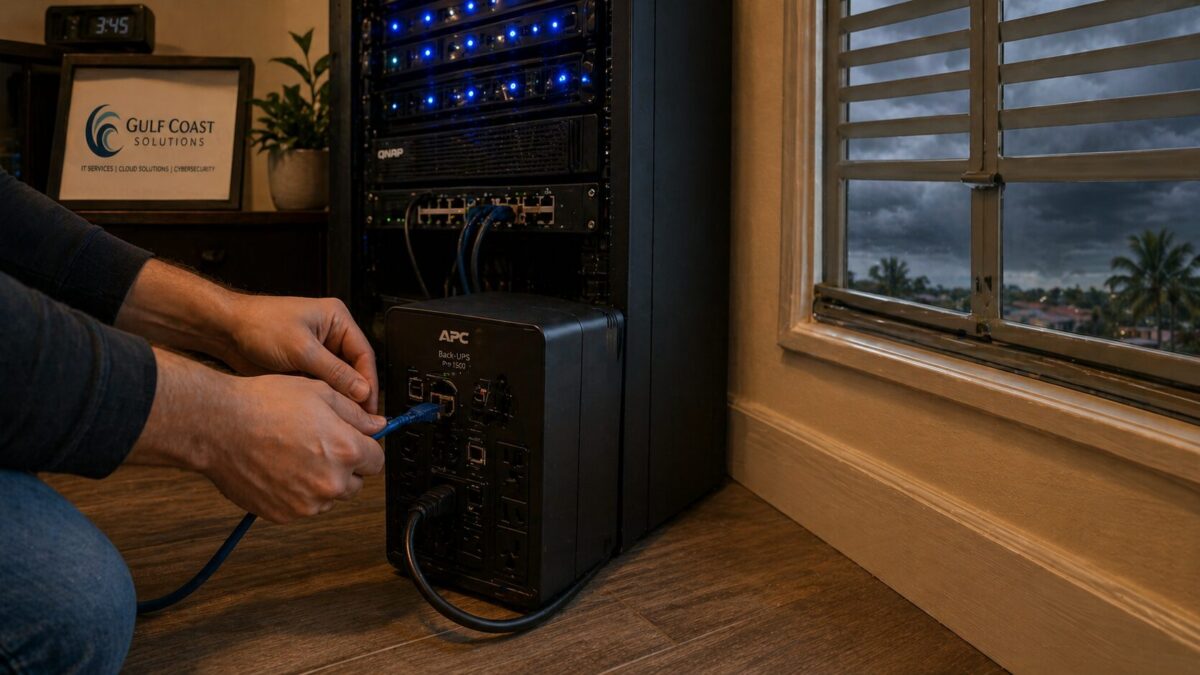
Battery backups have a working life of around 3 to 5 years. Past that, they hold a charge for maybe 30 seconds when you actually need them. APC and CyberPower units have a self test feature you can run from the front panel or through PowerChute software. If you haven’t run that test in the last six months, run it. If the test fails, replace the battery now. They are not stocked at every Best Buy, and the ones that are will sell out the day after a storm forms in the Gulf.
Surge protection is the other half of that conversation. A whole building surge protector at the panel is the smart play, but at minimum every sensitive piece of gear should be on a quality surge strip rated for at least 2,000 joules. Anything cheaper is decoration.
What Fort Myers businesses can do: Schedule a 30 minute hardware walkthrough this week. Lift gear off the floor, label every UPS with its install date, and replace anything older than 4 years.
Cloud backups aren’t enough, test your failover
Pretty much every Fort Myers business I talk to says they have cloud backups. About one in five can actually restore from them. Backups are useless until you’ve done a real restoration test.
Here’s what that looks like. Pick one critical file or one virtual machine. Pretend it’s gone. Now restore it from your backup, in production, with a stopwatch running. How long did it take? Did the restored data actually open? Did the right person have the credentials to do the restore, or did everything depend on Brian who left in February?
The 3-2-1 rule still works here. Three copies of your data, on two different types of media, with one copy off site. The off site copy is the one most local businesses skip. A second NAS in the same office is not a backup if both get rained on. Use Backblaze, AWS S3, Azure Blob, or a hosted Datto box. Not the same drive your accounting software runs on.
Worth flagging: ransomware loves the week after a hurricane, when staff are scattered and IT teams are running on no sleep. Make sure backups are immutable or air gapped, so a compromised admin account can’t wipe them. CISA has a solid breakdown of how the bigger ransomware crews work if you want the deeper context.
What Fort Myers businesses can do: Run a real restoration drill this month. Not a tabletop exercise, an actual restore. Time it. Document it. Fix what broke.
Set up remote access before you need it
After Ian, half the small businesses in Cape Coral and Fort Myers ran their operations out of a relative’s kitchen in Orlando for two weeks. The ones who kept billing customers had two things in place: a working VPN, and SaaS apps with browser access from any device.
If your team needs to be physically in the building to work, that’s the single biggest IT vulnerability you have. Hurricane or not. A solid VPN with MFA, plus a written list of who can access what from where, takes care of 80 percent of the problem.
Test it now. Have everyone work from home for one Friday. You’ll find the bottlenecks fast. Usually it’s something like the office printer being mapped by IP address, or a line of business app that hardcodes a local server name, or somebody’s password expired and they never noticed because they only log in at the desk.
What Fort Myers businesses can do: Pick a date in May. Run a full remote work day. Document every issue. Fix the top 3 before June 1.
Communication continuity plan
Cell towers in Lee County dropped service for 4 to 12 days during Ian, depending on neighborhood. Your customers, vendors, and employees couldn’t reach you. The businesses that handled it well had a plan that didn’t depend on the local cell network being up.
A few specifics:
- Set up call forwarding on your office line that can be activated remotely. RingCentral, Vonage, 8×8, and even Comcast Business voice lines support this.
- Use a group messaging app like Slack, Teams, or Signal that works over satellite internet or any cell signal that’s still up. Group SMS fails the second a tower goes down.
- Keep a paper printout of every employee’s personal cell, alternate cell, and email. Yeah, paper. Power outages eat phone batteries fast and people forget passwords under stress.
- Spin up a “we are here, we are operating from X” page on your site that you can update from anywhere with a login.
A status page is one of those things that takes 20 minutes to set up and saves you 200 phone calls when a storm hits.
What Fort Myers businesses can do: Build a one page emergency contact and communication plan this week. Print 10 copies. Put one in every laptop bag.
Insurance, documentation, and photos
This is the boring part nobody does until they need it. After a major storm, your insurance carrier is going to ask for serial numbers, purchase dates, and proof of working condition for every piece of equipment you claim. If you can’t produce that paperwork in a hurry, your claim drags out for months.
Take 30 minutes this week and walk every room with your phone. Photograph every piece of IT gear, capture serial numbers, and record where it sits. Save the photos to cloud storage with a date stamp. Update your inventory spreadsheet. While you’re at it, double check whether your business policy actually covers cyber events that happen during a storm. A lot of policies have a sneaky exclusion for cyber attacks that occur during a declared emergency. Worth a phone call to your agent.
If you don’t have cyber liability insurance yet, get a quote before June 1. Premiums for new policies tend to climb during storm season because carriers know what’s coming. NIST’s small business cyber resources have a decent starter checklist if you want to get organized first.
What Fort Myers businesses can do: Photo and inventory every piece of IT gear. Confirm cyber coverage with your insurance broker.
Need help with hurricane IT prep in Fort Myers?
HenkTek has been helping small businesses in Fort Myers, Cape Coral, Bonita Springs, and Naples get their IT through hurricane season since long before Ian made everyone take it seriously. We do the boring inventory work, run the actual restore drills, set up remote access, and make sure your backups are doing what you paid for.
Free 30 minute consultation, no pressure. Call (239) 234-2334 or visit our contact page to schedule a hurricane IT readiness review before June 1.
The storms are coming whether your IT is ready or not. Better to find the gaps now, while the sky is clear.

HenkTek is a local IT company in Fort Myers that looks after the technology Southwest Florida businesses depend on, from Cape Coral and Bonita Springs to Naples. We handle managed IT, cybersecurity, backups and help desk support, and we explain things in plain English.