

Heads up: some links in this post are affiliate links, which means HenkTek may earn a commission if you buy through one. It costs you nothing extra and it does not change what we recommend.
Hurricane season opens June 1 and if you’re running a small business in Fort Myers, your IT setup is one good lightning strike away from a really bad week. Power flickers fry computers. A 5 second outage corrupts a database. A 3 day outage after a named storm? That’s lost revenue, lost client trust, and a nightmare of recovery work.
A UPS battery backup is the cheapest piece of insurance you can buy for your office. We’re talking $200 to $300 for something that protects thousands of dollars of equipment and gives you time to shut down properly when the lights go out. After working with dozens of Fort Myers businesses through hurricanes Ian, Idalia, Helene, and Milton, we have strong opinions about which units actually hold up and which ones die the second a real storm rolls through.
Here are the UPS battery backup units we recommend for Fort Myers small businesses heading into the 2026 storm season, plus one upgrade pick if you want to go beyond keeping the lights on for 10 minutes.
Why your Fort Myers office needs a real UPS (a power strip won’t do)
Surge protectors stop spikes. They don’t keep your stuff running when the power dies. Big difference, and one a lot of business owners don’t realize until something expensive gets toasted.
A proper UPS does three things at once. It absorbs surges (which we get a LOT of during summer storms in SWFL). It conditions the power so brownouts don’t confuse your hardware. And it provides battery backup so your computer, modem, router, and phone can keep working long enough to either ride out a short outage or shut down cleanly during a long one.
The key spec to look at is VA (volt-amperes) and runtime. For a typical Fort Myers small office workstation, modem, router, and one monitor, you want at least 1000VA. For multi-monitor setups, NAS units, or POS systems, bump up to 1500VA. Anything less and you’ll get maybe 5 minutes of runtime before the battery taps out.
1. CyberPower CP1500PFCLCD: best all-around pick
This is the unit we install most often in Fort Myers offices and it’s for good reason. The CP1500PFCLCD delivers 1500VA / 1000W of pure sine wave power, which matters because cheaper UPS units output simulated sine wave that newer PCs with active PFC power supplies hate. Plug a new computer into a simulated sine wave UPS and watch it shut off mid-keystroke when the battery kicks in.
The LCD screen on the front is actually useful too, you can see real time load, runtime estimate, and battery health without firing up the management software. 12 outlets total (6 battery-backed, 6 surge only) which is plenty for a workstation, dual monitors, modem, router, and a printer or two.
Runtime at typical office load is around 15 to 20 minutes. Plenty for a brief outage and enough to safely power down for a longer one. Three year warranty including coverage for connected equipment up to $500K.
Best for: Most Fort Myers small business offices. If you’re not sure what to buy, this is it.
2. APC Back-UPS pro BR1500MS2: the bulletproof workhorse
APC has been making UPS units forever and the Back-UPS Pro 1500MS2 is what you get when you want set-it-and-forget-it reliability. Same 1500VA / 900W class as the CyberPower, also pure sine wave, also 10 outlets with most being battery-backed.
The build quality is the difference. APC units feel heavier and the internals are noticeably more solid. We’ve pulled APC Back-UPS units out of Fort Myers offices that survived Hurricane Ian’s flooding (after drying out, mind you) and were still functional. Can’t say the same about every brand.
Two USB ports for charging phones during an outage, which sounds like a gimmick until you realize how much you’ll appreciate it when your office goes dark. Bundled with PowerChute software for safe shutdown automation, which is a must-have if you’re running anything important.
Costs about $30 to $50 more than the CyberPower equivalent. Worth it if reliability is your top priority.
Best for: Offices that can’t afford downtime. Medical practices, law firms, accountants.
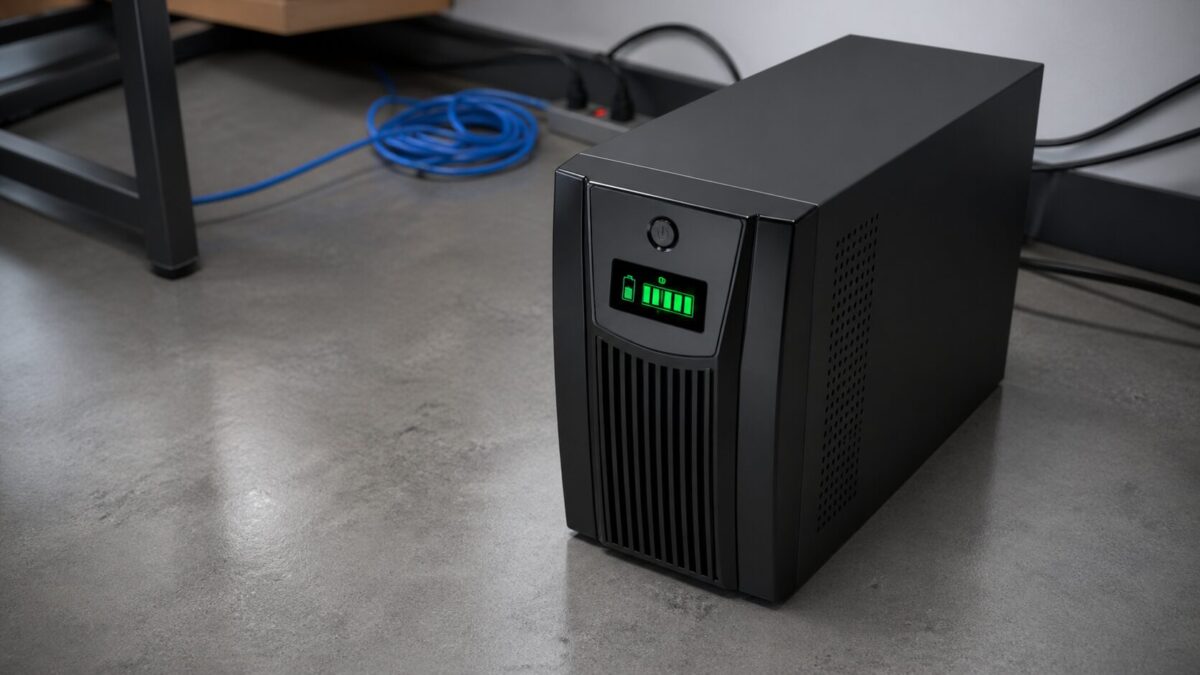
3. Eaton 5S 1500VA: the quiet budget pick
If your budget is tighter or you just need backup for a single workstation, the Eaton 5S 1500 is a solid choice. Line interactive design, simulated sine wave (so be careful pairing it with newer PCs), 8 outlets with 4 battery-backed.
The thing we like about it is its quiet. Most UPS units have a fan that kicks on under load and Eatons design is noticeably less annoying than the cheaper CyberPower or Tripp Lite stuff. Matters when it’s sitting on the floor next to your desk all day.
Runtime is similar to the others, 10 to 15 minutes at typical office loads. Three year warranty. Usually sells for $150 to $180, which is a nice savings over the pure sine wave units.
Best for: Budget-conscious offices with older PCs that handle simulated sine wave fine.
4. EcoFlow DELTA 3 Plus: the upgrade pick for extended outages
OK, this isn’t a traditional UPS. It’s a portable power station with UPS functionality (under 10ms switchover) and 1024Wh of battery capacity that can be expanded up to 5kWh with extra batteries. Why would you spend several hundred dollars more on this than on a $250 regular UPS?
Because traditional UPS units give you 15 minutes. The DELTA 3 Plus can run a full small office (workstation, monitors, modem, router, NAS, even a small fridge) for 4 to 8 hours on the base battery. With the expansion battery? Multiple days.
After Hurricane Ian we saw Fort Myers businesses lose power for a week. A regular UPS does nothing for that. A DELTA 3 setup keeps you actually operating, especially if you can charge it off a generator or solar. We’re recommending these more and more for small offices that can’t afford to be dark for days.
Bonus: it doubles as backup power for your home if a storm knocks out power at your house too.
Stock note, checked October 6, 2026: Amazon had no featured offer on the Delta 3 Plus. EcoFlow also sells it direct.
Best for: Offices that need to stay operational through extended outages. Pricier but worth it for the right business.
What Fort Myers businesses should do before June 1
Buying the UPS is step one. Here’s the rest of the prep that actually matters:
Test it BEFORE you need it. Plug everything in, then yank the wall plug. Make sure it switches over cleanly and gives you the runtime you expect. Do this before the next storm is in the forecast, not when it’s 48 hours out.
Replace the battery every 3 to 5 years. UPS batteries die. The unit looks fine, the LCD says “ready,” and then a real outage hits and it gives you 30 seconds of runtime. Most units have replaceable battery cartridges that cost around $80.
Connect it to your computer with the USB cable. Install the management software. Set it up to safely shut down your machines when the battery hits 20 percent. This is the difference between losing a few open documents vs. a corrupted Windows install.
Document what’s plugged in. When the storm hits and you’re scrambling, you want to know exactly what survives a power loss and what doesn’t. CISA has a decent small business continuity guide if you want to go deeper.
Also worth bookmarking: Lee County Emergency Management for Fort Myers / Cape Coral storm updates and shelter info.
Need help with UPS battery backup setup in Fort Myers?
HenkTek installs and configures UPS systems for small businesses across Fort Myers, Cape Coral, Bonita Springs, and Naples. We handle the right sizing for your equipment, the management software setup, and the documentation, so when a storm hits you’re not the one trying to figure out why the battery is screaming at 3am.
We also do whole-office hurricane IT prep, including data backup strategies, generator integration, and remote work failover. Storm season starts in 5 weeks. Now is the time.
Reach out for a free hurricane IT prep consultation or call us at (239) 234-2334. We’ll come out to your office, look at your setup, and tell you exactly what you need (and what you can skip).

HenkTek is a local IT company in Fort Myers that looks after the technology Southwest Florida businesses depend on, from Cape Coral and Bonita Springs to Naples. We handle managed IT, cybersecurity, backups and help desk support, and we explain things in plain English.