

It’s 2:17 AM. Your phone buzzes. Then buzzes again. Then again. Microsoft Authenticator is asking if you want to approve a sign in. You ignore it, half asleep. Buzz. Buzz. Buzz. By the time you’ve fully woken up, there’s maybe twenty approval prompts stacked on your lock screen, and you’re annoyed enough to just tap “Approve” so the noise will stop.
How to make the prompts stop: With a hardware security key there is no push to approve, so the 2 AM buzzing has nothing left to buzz about. The one most small offices here end up with is the YubiKey 5, which we went through in detail.
Congratulations. You just handed your business email login to a guy in Belarus.
This is MFA push bombing, and it has been wrecking Fort Myers small businesses for the last year and change. The annoying part is, the attack works because you set up MFA the right way. So the same security control that’s supposed to protect you becomes the thing that gets you popped, if you haven’t locked it down properly.
What MFA push bombing actually is
Multi factor authentication works by adding a second step to your login. You type your password, then your phone pings, you tap approve, and you’re in. Most Fort Myers businesses running Microsoft 365 or Google Workspace have this turned on. Good.
The catch is, the attacker also needs that second step. If they’ve already stolen your password (which is depressingly common, given how many leaked credential databases are floating around the dark web), they need to get past the push prompt. So they spam your phone with approval requests. Hundreds of them in a row. Then they wait.
Eventually one of three things happens. You tap approve to make the alerts stop. You tap approve thinking it’s a legit login from one of your other devices. Or you fall asleep with the alerts going off and your finger slips.
The Uber breach in 2022 was textbook push bombing. Cisco got hit the same way. These aren’t obscure attacks anymore. Your local accounting firm and HVAC contractor are getting hit with the exact same playbook the big guys did.
Why Fort Myers small businesses get hit hard
A few things make small businesses in Southwest Florida really juicy targets right now.
Most local companies, the law office in Cape Coral, the medical practice in Bonita Springs, the property management group in Naples, run on Microsoft 365. Attackers love this because the Authenticator push flow looks identical across thousands of victims. They write the script once and run it everywhere.
Also, a lot of Fort Myers businesses turned on MFA fast after a scare or after their cyber insurance carrier demanded it. They picked the simplest option (push approval) and moved on. Nobody went back and configured number matching, phishing resistant auth, or geographic restrictions. So MFA is on, technically, but it’s the weakest version of MFA available.
And the dark web has piles of credentials leaked from the Synnovis breach, the AT&T leak, the National Public Data dump, and a dozen others. There’s a good chance somebody on your team uses their work email for personal accounts that got breached, and reuses passwords. Attackers have valid creds. They just need you to tap approve.
Signs your team is being targeted right now
You won’t always know push bombing is happening. The attacker isn’t going to email you about it. But there are signals.
A team member gets unexpected MFA prompts in the middle of the night, especially in clusters. Multiple prompts within a few minutes from a location they aren’t in. Login attempts in your Microsoft 365 admin logs from countries nobody on the payroll has visited. Conditional access blocking sign ins from weird ASNs you’ve never seen before.
If anyone on your team has ever tapped approve on a prompt they didn’t initiate, you should treat that account as compromised. Reset the password, revoke active sessions, and check sign in logs for the last 30 days. Don’t wait to see if anything happens. By the time you see weird activity, the attacker has already exfiltrated email, set up a forwarding rule, and started phishing your clients from your domain.
Stop it cold with number matching
Here’s the good news. There is a simple Microsoft 365 setting that defeats push bombing almost entirely, and most businesses still haven’t turned it on.
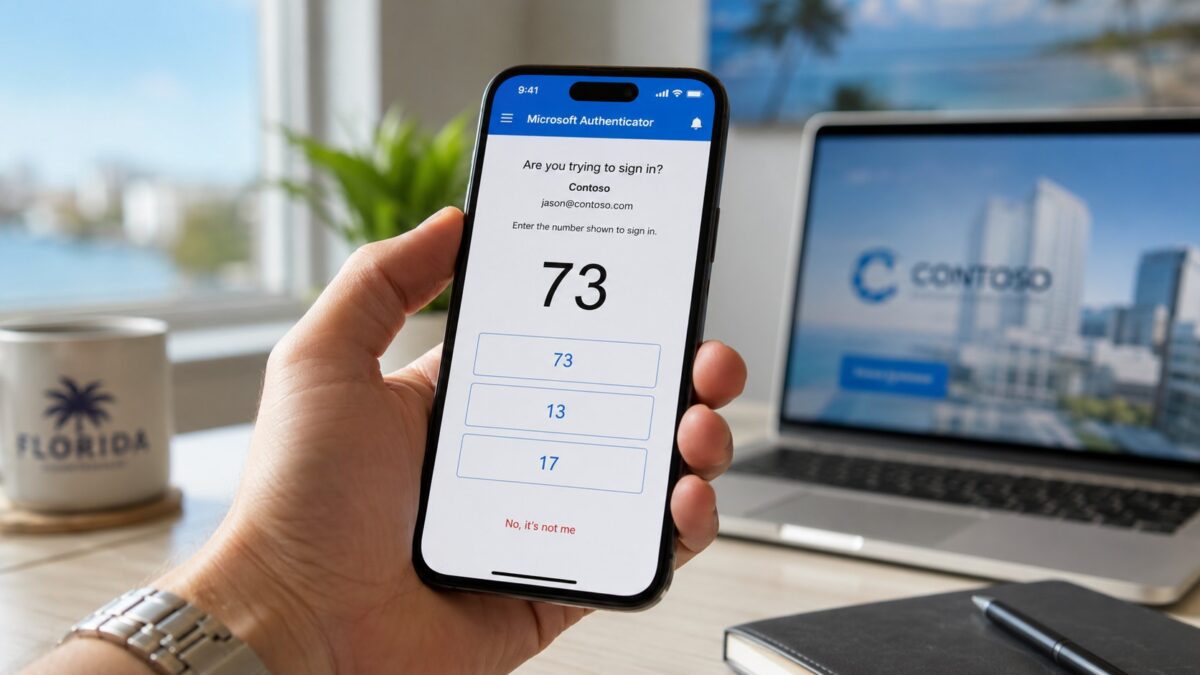
It’s called number matching. When you try to log in, the screen shows a two digit number. Your Authenticator app then asks you to type that number in before approving. The attacker doesn’t see the number (they’re not looking at your screen), so they can’t tell you what to type. The prompt becomes useless to them.
CISA recommends this. Microsoft made it the default for new tenants in 2023, but if your account has been around longer than that, you probably need to enable it manually. Same for Google Workspace and most other identity providers, they all have an equivalent setting.
What Fort Myers businesses should do this week:
- Turn on number matching in Microsoft Entra (or your equivalent)
- Block legacy authentication protocols (still surprisingly common)
- Set up conditional access to block sign ins from countries you don’t do business with
- Train your staff that random MFA prompts are NEVER to be approved, even if it gets annoying
- Move your admin accounts to FIDO2 security keys (YubiKey, etc.) which are immune to this attack entirely
The training piece matters more than people think. According to CISA guidance on MFA fatigue, attackers count on user frustration. If your team knows that an unexpected prompt means somebody is trying to break in right now, they won’t tap approve out of habit.
Need help setting this up in Fort Myers?
Most of this can be configured in under an hour for a typical small business tenant. The problem is that most owners don’t know the settings exist, and Microsofts admin center isn’t exactly friendly if you haven’t spent a hundred hours in it.
That’s where we come in. HenkTek handles managed IT and cybersecurity for businesses across Fort Myers, Cape Coral, Bonita Springs, and Naples. We can lock down your MFA setup, audit your Microsoft 365 tenant, set up conditional access, and train your team so the next push bombing attempt dies on contact.
If your phone has been buzzing with prompts you didn’t initiate, don’t ignore it. Contact us for a free consultation and well take a look at your environment. Phone: (239) 234-2334.