

Heads up: some links in this post are affiliate links, which means HenkTek may earn a commission if you buy through one. It costs you nothing extra and it does not change what we recommend.
Picture a Cape Coral accounting office at the end of a long day. An employee is shutting down when their phone buzzes with a login approval request. Then another. Then five more in a row. Tired and a little annoyed, they tap approve just to make the buzzing stop. That one tap hands an attacker the keys to the whole network.
That trick has a name. MFA push bombing, and it’s been catching Southwest Florida businesses that figured app based two factor had them covered. The fix is a small piece of hardware that costs less than a tank of gas. A hardware security key. The YubiKey 5 is the one most people land on, so I spent some time with it to see whether it’s worth putting on your team’s desks.
Short answer, yeah. Here’s the longer one.
Push bombing, and why those app approvals aren’t enough
Most Fort Myers offices that turned on multi factor went with the push approval kind. You log in, your phone asks “was this you?”, you tap yes. Easy. The problem is that attackers who already have a stolen password can fire off approval requests over and over until someone caves. People are tired. They tap. And app codes get phished too, since a fake login page can ask for the 6 digit code and pass it along in real time.
A hardware key shuts that door. It checks the actual web address you’re logging into, so a lookalike phishing page gets nothing. There’s no code to read out, nothing to approve by accident. You physically tap the key, or you don’t get in.
What Fort Myers businesses can do: treat push approval as a step up from passwords alone, not the finish line. For email, banking, and anything with customer data, move to a phishing resistant key.
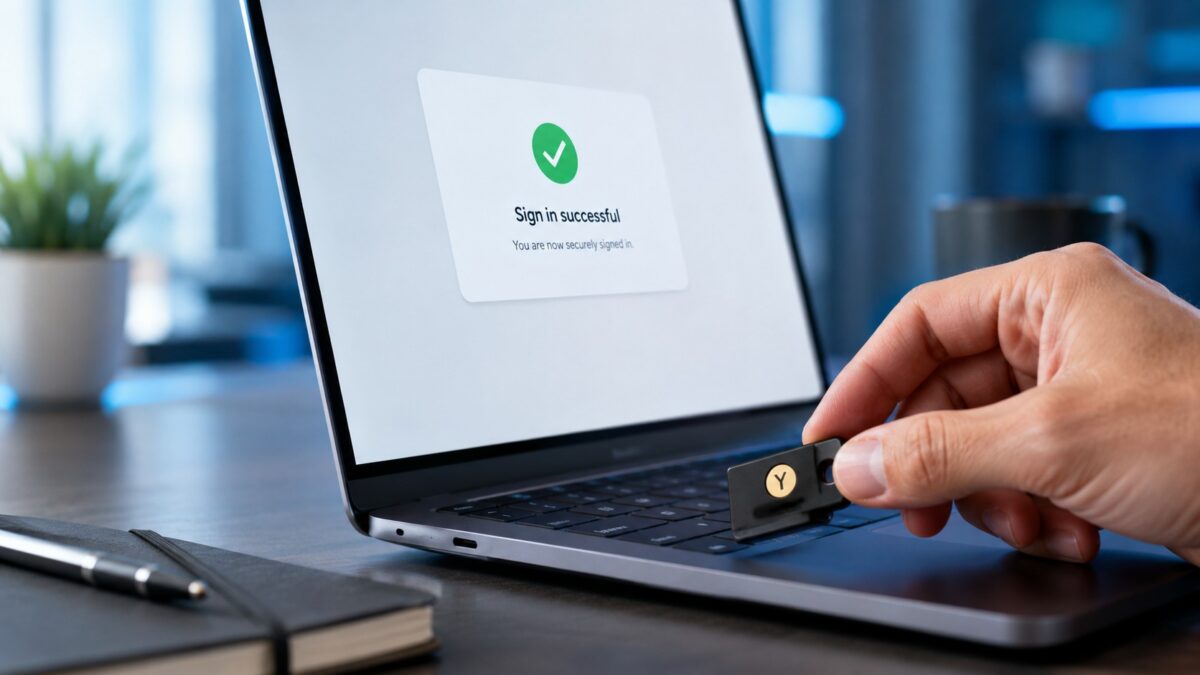
What the YubiKey 5 actually does
The YubiKey 5 is a little metal key that plugs into a USB port or taps over NFC on a phone. It supports the current stuff, FIDO2 and passkeys, plus older protocols for software that hasn’t caught up yet. It works with Microsoft 365, Google Workspace, most password managers, and a long list of other services. For a small business that lives in Microsoft 365, that coverage is the part that matters.
Two versions cover almost everyone. The YubiKey 5 NFC has a USB-A plug and taps phones over NFC. The 5C NFC has the USB-C plug that newer laptops use. Both run about $58. Get the one that matches your laptops, or grab a couple of each if your office is mixed.
The phishing resistant part isn’t marketing. CISA flags hardware keys like this as the gold standard for multi factor, well above app codes. You can read their take on phishing resistant MFA here.
Setup and the honest downsides
Registering a key takes a couple minutes per account. You plug it in, tap it, name it, done. The catch nobody mentions up front, buy two keys per person. One to carry, one locked in a drawer as backup. If someone only has one key and loses it, getting back into a locked down account is a real headache. So budget for the spare. It’s cheap insurance.
The other annoyance is that a few older or niche apps still don’t support keys, so you may keep app based MFA as a fallback in a spot or two. Not a dealbreaker. For the accounts that actually get attacked, email and admin logins, the key works great.
Phishing resistant MFA for Fort Myers businesses: worth it?
For most local offices, yes, and the timing matters. Cyber insurers are tightening their multi factor requirements on 2026 renewals, and some now ask whether you’ve moved past plain app approvals. A key on your admin and email accounts is an easy thing to point to when the insurer asks. It can be the difference between a smooth renewal and an awkward one.
Think about who really needs one first. The owner, anyone in finance, whoever holds the Microsoft 365 admin rights. That’s where a breach hurts most, and that’s where the $58 spend pays for itself the fastest. You don’t have to key up the whole company on day one. Start at the top and work down.
For the price, there’s not much to argue against here. A stolen password is worthless to an attacker if they also need a physical key sitting in a desk drawer in Fort Myers.
Want help setting keys up across your team?
Rolling out security keys to a whole office, registering backups, wiring them into Microsoft 365 or Google Workspace, sorting out the few apps that fight back, is the kind of thing that’s simple once you’ve done it and fiddly the first time. That’s what we do at HenkTek. We handle IT and cybersecurity for businesses across Fort Myers, Cape Coral, Bonita Springs, and Naples.
If you want a hand getting phishing resistant MFA set up the right way, reach out for a free consultation or call us at (239) 234-2334. We’ll look at your setup and tell you straight what’s worth doing.