

Heads up: some links in this post are affiliate links, which means HenkTek may earn a commission if you buy through one. It costs you nothing extra and it does not change what we recommend.
Picture a Friday in August. A storm rolls in off the Gulf, the power blinks, and your fiber line goes dark right as a customer is trying to tap their card. No terminal, no email, no booking system. For a lot of small businesses around here that isn’t a hypothetical, it’s most summers. Backup internet for Fort Myers businesses used to be something only big companies bothered with. Now a cellular failover box costs about what a decent office chair does, and it kicks in on its own when the main line drops.
If your shop runs on the internet (and almost all of them do now), this is one of the cheaper insurance policies you can buy before hurricane season really gets going. Here’s how it works and what to actually buy.
Why backup internet matters for Fort Myers businesses
Southwest Florida sits in a tough spot. Between summer thunderstorms, the occasional named storm, and the construction crews that seem to find every buried cable in Lee County, wired internet here goes down more than most owners would like to admit. And when it does, the losses stack up fast. A salon can’t check people out. A clinic can’t pull up records. A restaurant’s online orders just stop.
The thing people miss is that cell towers usually stay up when the wired network doesn’t. Carriers harden their towers with battery and generator backup, so during a lot of local outages your phone still has bars even when the office fiber is dead. A backup internet setup just takes advantage of that. When your main connection fails, the system switches over to a cellular signal automatically, often before anyone notices.
How cellular failover actually works
The idea is simple. You keep your normal fiber or cable line as the primary connection. Then you add a second connection that runs over the cell network, either built into a router or fed in from a separate device. A router that supports failover watches both lines, and the moment the primary stops responding it routes everything through the backup. When the main line comes back, it switches you home.
For most offices the switch happens in 15 to 30 seconds. Quick enough that card readers, VoIP phones, and email keep working through a short outage. You usually need a cheap data SIM from a carrier to feed it, and that runs maybe $10 to $20 a month, sometimes less on a tablet or IoT plan. No second internet contract required.
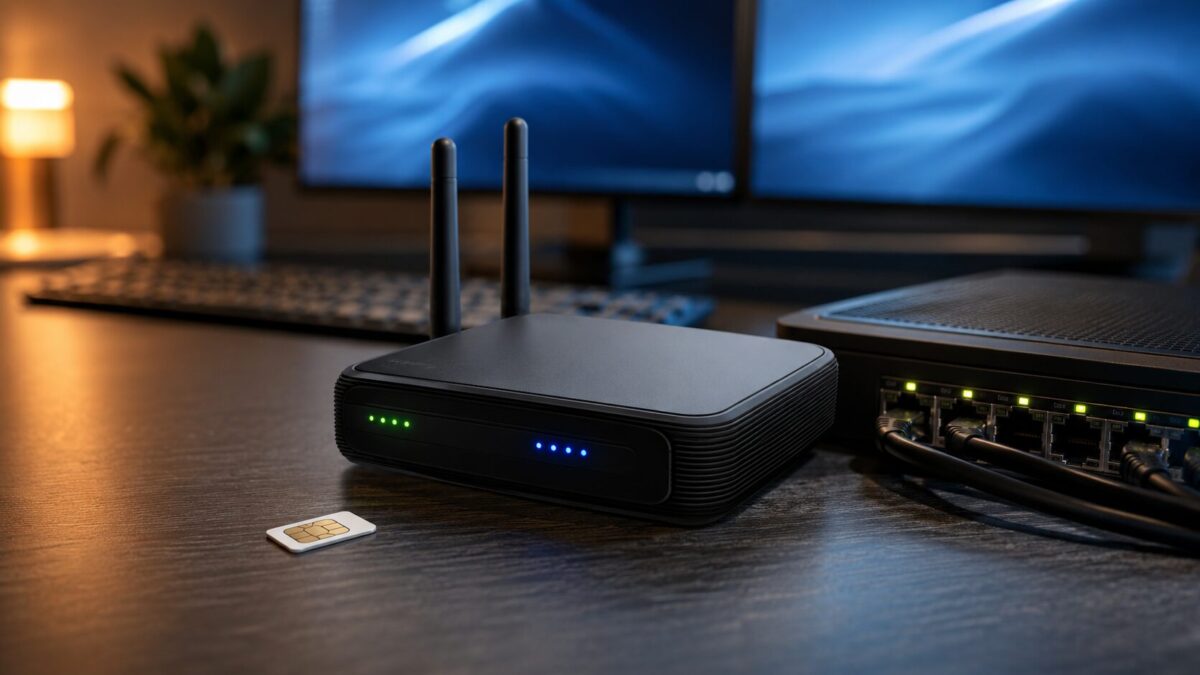
The budget pick: a plug and play LTE router
If you want the simplest path, get an all in one LTE modem router. Drop a SIM card in, plug your existing line into the WAN port, and it handles the failover by itself. The Cudy LT500 is the one I’d point a small office to first. It’s an AC1200 dual band router with a SIM slot, high gain antennas, and built in failover, and it sits right around $95. That’s hard to argue with for a box that keeps you online during an outage.
It won’t win speed records, and you’re capped at 4G LTE rates, but for keeping the lights on while your fiber is down it does exactly what you need. For a back office, a small retail counter, or a clinic front desk, this is plenty.
Stepping up to 5G for a faster fallback
If your business can’t really slow down when the main line drops, like a busy office moving big files or running a lot of video calls, a 5G backup makes more sense. The GL.iNet Puli AX (GL-XE3000) is a 5G router with dual SIM slots, Ethernet ports built for multi-WAN failover, and a 6400mAh battery, so you can run a cable straight into the second WAN port on your office router and use it as a proper backup feed. It runs around $410 and is certified on AT&T and T-Mobile.
Bonus, since it runs on battery and is portable, you can grab it and work from anywhere if you ever have to leave the office during a storm. That dual use is why I like it for owners who travel or run a couple locations.
One more worth knowing about if you already run Ubiquiti gear: Ubiquiti released the UniFi 5G Backup earlier this year, a $99 box that bolts cellular failover onto an existing UniFi network. If your office is already on UniFi, it’s the obvious add on. If you’re not, the two options above don’t care what brand your network is.
A few things to get right before the storm
Buying the hardware is the easy part. Test it before you need it. Pull the plug on your main line on a slow afternoon and make sure the failover actually carries your point of sale, your phones, and whatever cloud apps you live in. Check your monthly cell data so a backup month doesn’t blow past the plan. And pair the whole thing with a UPS battery so a power blip doesn’t take down the very router that’s supposed to keep you connected. The U.S. government’s small business continuity planning guide at Ready.gov is a solid starting point if you want to think through the rest of your storm plan too.
Backup internet for business: what actually matters
Searches for backup internet for business jumped after the last outage season, and most of what ranks was written by ISPs trying to sell you a second line on the same network that just went down. Don’t do that. The whole point of a failover connection is a different path into the building. Cable primary, cellular backup. If both ride the same fiber trunk down US 41 you have bought nothing.
The other thing people skip is testing. A failover router you have never actually unplugged the WAN cable on is a guess, not a plan. We set ours to send an alert when it flips over, then test quarterly. Takes five minutes. For sizing, most small offices run fine on a 5G backup for a day or two, as long as someone pauses the security camera uploads.
Need help setting up backup internet in Fort Myers?
If you’d rather not piece this together yourself, that’s what we do. HenkTek sets up backup internet and failover for businesses across Fort Myers, Cape Coral, Bonita Springs, and Naples, and we’ll make sure it actually works when a storm hits, months after the day we install it. We can size the right hardware, get the SIM and data plan sorted, and test the failover with you.
Storm season’s already here, so don’t wait until the line goes down to start shopping. Reach out for a free consultation and we’ll get your business covered before the next one rolls through.

HenkTek is a local IT company in Fort Myers that looks after the technology Southwest Florida businesses depend on, from Cape Coral and Bonita Springs to Naples. We handle managed IT, cybersecurity, backups and help desk support, and we explain things in plain English.