

Heads up: some links in this post are affiliate links, which means HenkTek may earn a commission if you buy through one. It costs you nothing extra and it does not change what we recommend.
Ransomware showed up in 88 percent of small business breaches last year. That number used to feel like something other people had to worry about. It isn’t anymore. The local Fort Myers companies I’ve helped recover from ransomware mostly had one thing in common, free or built in antivirus running on every laptop. That was their entire defense.
This is the post where I tell you what actually works instead. Today that’s Bitdefender GravityZone Business Security, which is the endpoint protection we deploy on most of our small business client networks. It’s not the fanciest tool in the space and it won’t win any awards for slick marketing. But for a 5 to 50 person office that needs serious protection without hiring a security team, it’s hard to beat.
What endpoint protection actually is (quick version)
Old school antivirus scans files for known bad signatures. That’s fine for the 1990s. Attacks don’t look like that anymore. Today its phishing emails that drop fileless malware into memory, or ransomware that encrypts your files before any signature exists for it. Signature based AV can’t see those.
Endpoint protection (sometimes called EDR, for endpoint detection and response) watches what files and processes actually do, beyond what they look like. If a Word document suddenly starts encrypting hundreds of files in your Documents folder, an endpoint tool catches it mid-act and stops it. Free Microsoft Defender is okay at this. GravityZone is a lot better.
Endpoint protection Fort Myers: why most local offices are behind
Most Fort Myers small businesses I walk into are running one of three things. Free Microsoft Defender (the built in Windows one), a consumer Norton or McAfee subscription left over from when the laptop was bought, or nothing at all because the trial expired two years ago and nobody renewed it. None of those are real protection for a business.
Here’s what changed. In 2025 ransomware showed up in 44 percent of all confirmed breaches across every business size, but for small and mid sized businesses that number jumped to 88 percent. Attackers go after small offices because they know the security is thin. A dentist office in Estero is a softer target than a hospital in Tampa, and the payout is faster.
What Bitdefender GravityZone actually does
GravityZone Business Security uses machine learning to spot threats Bitdefender has never seen before. Bitdefender calls this HyperDetect, and its tuned to catch targeted attacks and zero days. There are three pieces I care about most for small business use.
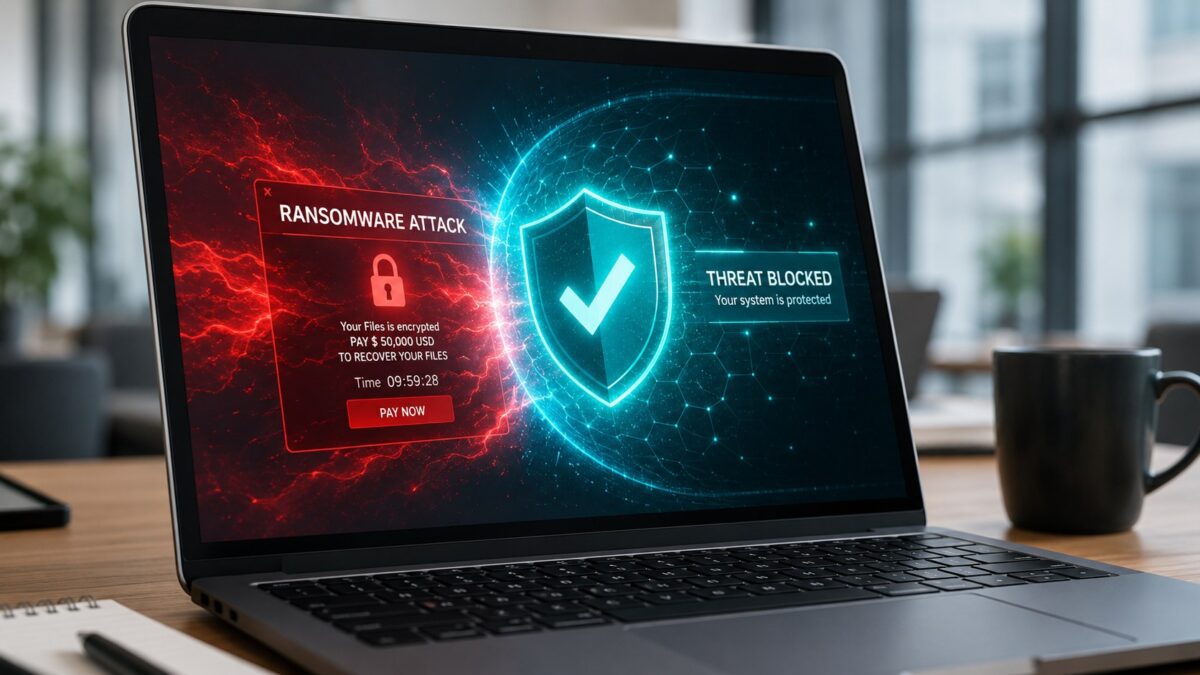
Anti ransomware that actually rolls back damage. If something slips through and starts encrypting files, GravityZone reverses the changes. I’ve watched this happen on a clients machine. The attack got onto a workstation through a phishing email, GravityZone caught it three seconds in, and rolled back the four files that had already been touched. The user never knew anything happened.
Cloud Sandbox Analyzer for suspicious files. When the system isn’t sure about a file, it runs it in an isolated cloud sandbox to see what it does. If it acts like malware, the file gets blocked across every machine on the network. This is the part that catches stuff Defender misses.
Fileless attack defense. A lot of attacks now don’t drop a file at all, they live in memory and use legitimate Windows tools (PowerShell, WMI) to do the dirty work. GravityZone monitors process behavior as well as files, so it catches these. Defender does this too but not as aggressively.
The pricing is reasonable for what you get
This is the part most people get stuck on. GravityZone Business Security runs about $57 per device per year for the Small Business tier (up to 30 endpoints), and $74 per device for the standard Business Security plan. A 10 person office with 12 endpoints (laptops + maybe a server or two) is looking at $684 to $888 per year. Less than $75 a month for the whole company.
Compare that to the average ransomware payout for a small business in 2025, which was over $40,000 if you count downtime, recovery, and the actual ransom. Or the average HIPAA fine for a medical office data breach, which is $137,000 minimum. The math isn’t close.
The Small Business Security tier on Amazon is great for tiny offices that just want a code, install it, done. Bigger teams should go through Bitdefenders direct portal for the proper console.
Setup and daily management: less painful than you think
Something about business endpoint products that rarely gets said: A lot of them are designed for enterprise IT teams with dedicated security analysts. They have huge dashboards full of acronyms and require constant tuning. GravityZone is one of the few that scales down to a small office.
Everything runs through a single cloud console, no on premise servers needed. You install an agent on each laptop or server (takes about 5 minutes per machine), then watch alerts come into the dashboard. For most small offices, the system runs itself 95 percent of the time. The other 5 percent is checking the weekly summary email and clicking yes or no on a flagged file.
For our managed clients, we handle the dashboard so the business owner never has to touch it. Alerts come to us, we triage them, and only escalate if something needs the owner to decide. That’s really the model that works for offices under 50 people, you outsource the watching but keep the protection.
Where GravityZone falls short
This isn’t a perfect tool. A few honest weaknesses.
The reporting interface is dated. It works fine and the data is all there, but if you’re used to slick SaaS dashboards, GravityZone feels like it was designed in 2018. Doesn’t affect protection quality at all, just the experience.
There is no included managed detection and response (MDR) service at the base tier. If you want someone watching the alerts 24/7, that costs extra. For most small businesses that’s overkill and the standard plan is plenty, but it’s worth knowing.
Also, GravityZone is a real business product, not a click and forget consumer tool. If nobody at your company is going to look at the console or work with an IT provider who will, the protection is still active but you won’t catch certain edge cases. This is why most local Fort Myers shops we work with hand the dashboard off to us.
Endpoint protection Fort Myers: who we recommend this for
If you run a Fort Myers small business between 5 and 50 employees, especially in healthcare, legal, financial, or any field where compliance matters, GravityZone Business Security is the protection level you should be running. Pair it with a password manager, multi factor authentication, and decent cloud backup, and you’ve covered most of what actually stops a ransomware attack.
If you have fewer than 5 endpoints and you’re just trying to get past free AV, the Small Business Security tier from Amazon is a perfectly fine starting point. The protection is the same, just sized for tiny teams.
Need help setting it up?
If you’d rather not figure out endpoint deployment and management yourself, that’s what HenkTek does. We install GravityZone across our managed IT clients, handle the dashboard and alerts, and tie it into the rest of the security stack. Our small business clients across Fort Myers, Cape Coral, Bonita Springs, and Naples are running this exact setup right now.
Call us at (239) 234-2334 or schedule a free consultation and well take a look at what you’re running now. If GravityZone is the right fit, we set it up. If something else makes more sense, well tell you that too.
For more on small business cybersecurity threats and what local Fort Myers companies should watch for, the CISA small business cybersecurity guide is a solid free starting point. And if you haven’t read it yet, our homepage covers the rest of what we do for local IT and security.
HenkTek is a local IT company in Fort Myers that looks after the technology Southwest Florida businesses depend on, from Cape Coral and Bonita Springs to Naples. We handle managed IT, cybersecurity, backups and help desk support, and we explain things in plain English.