

Ask around a few Fort Myers offices about backups and you’ll hear the same setup. The server gets backed up, maybe the laptops too, and then email, OneDrive, SharePoint… those live in the cloud, so they must be fine. Nobody is actually running a Microsoft 365 backup, because everyone assumes that’s Microsoft’s job.
It is not. Microsoft keeps the service running. Keeping long term copies of your data is on you, and they say so themselves in the services agreement, which recommends you back up your content regularly. The defaults are shorter than most owners think. Deleted email sits in a recoverable state for 14 days unless your admin raised it, with 30 as the ceiling. OneDrive and SharePoint give you 93 days in the recycle bin. Once a window closes, no support ticket brings the data back.
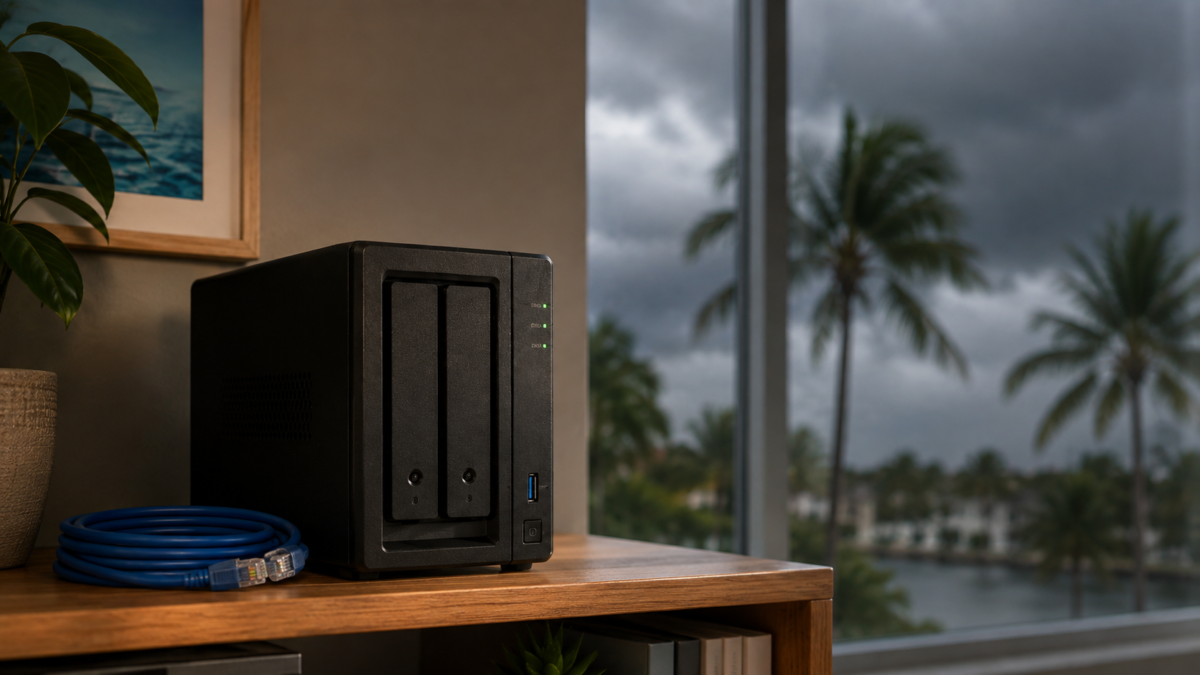
A small Synology unit on a shelf fixes this for a few hundred dollars, one time. Here is what the retention windows mean in practice, why ransomware makes them worse, and how the setup works.
Heads up: this post has affiliate links. If you buy through them, HenkTek may earn a small commission at no extra cost to you.
Deleted means gone faster than you think
An employee empties their Deleted Items folder and a clock starts. Two weeks later, unless someone changed the default, that email no longer exists anywhere Microsoft can reach.
Departed staff are the bigger trap. When someone leaves and you free up their license, Microsoft holds that mailbox for 30 days. Day 31, it’s gone. If a client dispute surfaces six months after a project manager quits, the email trail you need may have evaporated back in the spring. Law offices and medical practices around Fort Myers carry record keeping rules that do not care what a cloud default happens to be.
Retention policies inside Microsoft 365 can stretch some of this, on the right plan, if someone configured them. Most small offices never did.
Ransomware crews delete the cloud copy too
We covered double extortion ransomware earlier this summer. What that post did not get into is how those crews treat cloud data: as a target, not an obstacle. An attacker holding an admin login can wipe mailboxes and purge SharePoint libraries on purpose. And plenty of strains just encrypt files on a workstation, then let OneDrive sync push the damaged versions up all by itself. Sync is not backup. It copies whatever happened, including the bad stuff, with great enthusiasm.
CISA’s ransomware guidance keeps repeating the same line about keeping backups offline or otherwise separated, and this is why. A copy that lives on your own hardware, behind different credentials, is the copy a compromised 365 account can’t touch.
The everyday risk is still simpler than any of that, though. It usually looks like an employee deleting a folder nobody misses until two months later.
Microsoft 365 backup on a Synology: how the setup works
The piece most owners have not heard of is Active Backup for Microsoft 365, Synology’s backup app. It comes free with the NAS, no per user fees, no subscription. Point it at your 365 tenant and it pulls down mail, OneDrive files, SharePoint sites, calendars, contacts, and Teams data on a schedule, or continuously. Restores run through a self service portal, so recovering one email does not mean restoring a whole mailbox.
The hardware is a compact two bay box that sits on a shelf and sips power. We reviewed the DS224+ last year and liked it. The DS225+ is the current version of the same idea. Two bays means you run a mirrored pair of drives, so one drive can fail without taking the backups with it. Drives are sold separately, go with NAS rated ones.
Figure a morning of work to set up, and most of that is waiting on the first full pull from Microsoft.
What it costs
The DS225+ runs $364.99 on Amazon as of this morning, diskless. Add a pair of NAS drives and you’re done spending, that’s the whole bill. Cloud to cloud backup services do the same job as a subscription, decent software, but the meter never stops. A ten person office comes out ahead on the hardware quickly and keeps the savings every month after, since the Active Backup license itself costs nothing.
One honest caveat. A NAS in the office is still in the office. For a flood or a fire you want an offsite copy layered on top, and the same box can push encrypted copies to cheap cloud storage or to a second unit somewhere else. Our cloud backup checklist covers that wider picture.
Get it running before September fills up
National Preparedness Month starts next Tuesday, and the back half of September is the busy stretch of hurricane season for Southwest Florida. Every year the calls come in after a storm, when an office is dark and somebody needs an invoice from March. The offices that shrug those weeks off tend to be the ones that spent a few hundred dollars on their data ahead of time.
HenkTek sets these up for businesses in Fort Myers, Cape Coral, and Bonita Springs: sizing the drives, matching retention to your industry’s rules, and actually testing a restore instead of hoping. Call (239) 234-2334 or reach us through the contact page for a free consultation.