

Some links in this post are affiliate links. If you buy through them, HenkTek earns a commission at no extra cost to you.
The call usually comes from a customer, not from you. Someone in Cape Coral pulls up your site on their phone, gets bounced to a page selling counterfeit sneakers, and figures you went out of business. On your desktop it loads fine. That gap is the whole problem: a hacked WordPress site in Fort Myers can sit there for weeks doing damage before anyone with admin access notices.
Most of what lands on a small business site isn’t a ransom note. It’s quiet on purpose. Sucuri’s most recent Hacked Website Report found SEO spam on 42.22% of the infected sites they cleaned, and that category exists specifically so the owner keeps not looking. Worth saying plainly: those numbers come from Sucuri’s own customer base, not a survey of the whole web, so treat them as a pattern, not a census.
How to tell your site is actually hacked
Owners tend to find out in one of five ways, and only one of them is pleasant.
- A customer tells you the site redirected somewhere strange, usually on mobile only
- Google Search Console throws a Security Issues notice
- Your search listing picks up a “This site may be hacked” label
- Your host suspends the account for sending spam
- You log in and find an admin user you don’t recognize
Mobile only redirects throw people off constantly. The attacker checks the user agent and the referrer, serves the clean page to anything that looks like a logged in admin or a desktop browser, and serves the payload to everyone else. You can stare at your own homepage all afternoon and see nothing wrong. Open it in a private window on your phone, coming from a Google search result instead of typing the URL, and there it is.
What a hacked WordPress site costs a Fort Myers business
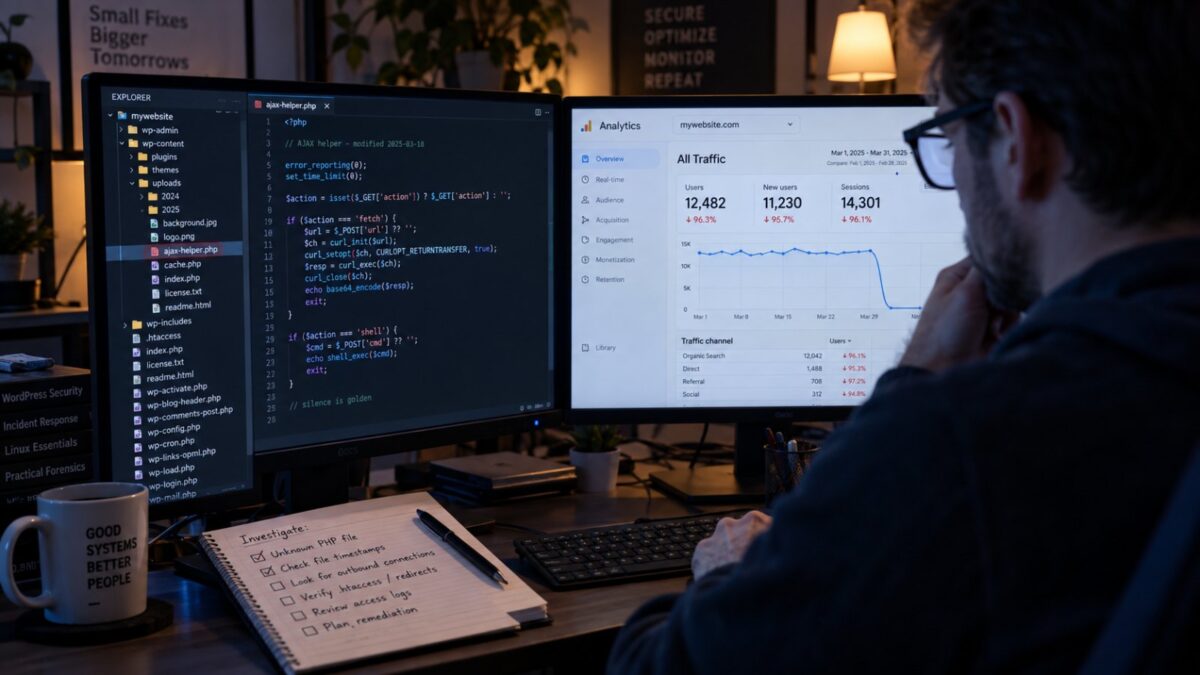
For a local service business the website is the lead source, so the damage shows up as a phone that stops ringing. Google blocklists the domain, Chrome and Safari start throwing a red interstitial, and organic traffic goes to roughly zero in a day. Getting removed from that blocklist takes a review request, and the review fails if the infection is still present, which is where a rushed cleanup costs you a second week.
Then there’s the part nobody budgets for. If your site was sending spam, your domain reputation takes the hit too, and suddenly your quotes are landing in customers’ junk folders. We’ve written before about email security for Fort Myers offices, and a compromised site is one of the faster ways to undo all of it.
The cleanup, in the order that works
Order matters more than tooling here. Skipping step three is why sites get reinfected four days later.
- Take a copy of the hacked site before you touch anything. Files and database both. If this turns into an insurance or legal question later, that snapshot is the only evidence you’ll have.
- Rotate every credential, and mean every. Hosting panel, WordPress admins, database user, SFTP, and the email account your admin login recovers to. Leaving that last one out is a common miss.
- Find the backdoor. Sucuri found at least one on 49.21% of the compromised sites in that same report, and a backdoor survives you deleting the visible payload. Cleaning the spam pages without finding the backdoor just resets the clock.
- Remove the payload, then update core, plugins, and themes. Delete anything deactivated instead of leaving it parked. An inactive plugin with a known flaw is still a file the web server will happily execute.
- Request the blocklist review through Search Console and whatever the host uses.
- Watch it for 30 days. Reinfection usually shows up inside the first two weeks.
If the site was breached through something bigger than the site itself, our first 24 hours after a data breach walkthrough covers the wider response.
Where Sucuri fits
Sucuri sells the cleanup as a subscription instead of an emergency bill, which is a better fit for most small sites than paying a freelancer by the hour at 11pm. All the plans include unlimited malware cleanups, a firewall, blocklist monitoring and removal, and a 30 day money back guarantee. They’re platform agnostic, so it isn’t WordPress only.
Pricing as of today: Basic runs $229 a year, Pro is $339, and Business is $549. The feature lists look similar at a glance and the marketing leans on scan frequency, but for a single site business the number that actually matters is the malware removal SLA. Basic is 30 hours. Pro is 12. Business is 6.
So the honest read is this. If your site is a brochure that customers find after they already know your name, Basic is fine and the extra $110 buys you nothing you’ll feel. If the site is where your leads come from, the jump from 30 hours to 12 is the difference between losing a day and losing most of a week, and Pro is the one to buy. Business, with scans every 30 minutes, is aimed at ecommerce and membership sites where content changes constantly. A five page site in Bonita Springs doesn’t need it.
One thing to go in clear eyed about: a security subscription doesn’t stop a hack, it shortens it. The firewall blocks a lot of automated junk, but if an attacker gets in through a credential you reused, no plan on that page prevents it.
Keeping it clean afterward
Turn on multifactor for every WordPress admin and cut the admin list down to people who actually need it. Your web designer from 2019 does not. Keep updates current too, because most of what hits a small site is automated scanning for a known plugin flaw. Nobody picked you out by name.
Keep an offsite backup that isn’t stored on the same host as the site, because a host level compromise takes the backups with it. The same logic we laid out for Microsoft 365 backups applies here. And train whoever has the login, since security awareness training is what stops the phishing email that hands over the admin password in the first place.
Google publishes a solid technical walkthrough at Search Central, and CISA keeps current advisories worth skimming.
Need help with a hacked site in Fort Myers?
If you’re staring at a site that redirects and you don’t want to spend your weekend in a file manager, we handle this. HenkTek works with businesses across Fort Myers, Cape Coral, Bonita Springs, and Naples on cybersecurity, and cleanup is only worth doing once if the reason it happened gets fixed too.
Call (239) 234-2334 or get in touch for a free assessment. Faster is better on this one, because every day on a blocklist is a day of rankings you have to earn back.

HenkTek is a local IT company in Fort Myers that looks after the technology Southwest Florida businesses depend on, from Cape Coral and Bonita Springs to Naples. We handle managed IT, cybersecurity, backups and help desk support, and we explain things in plain English.