

After Ian, a lot of offices around Fort Myers learned the hard way that a backup drive sitting on a desk is not a backup. Water came in, the drive was on the floor or under a window, and it was gone along with the computer it was backing up.
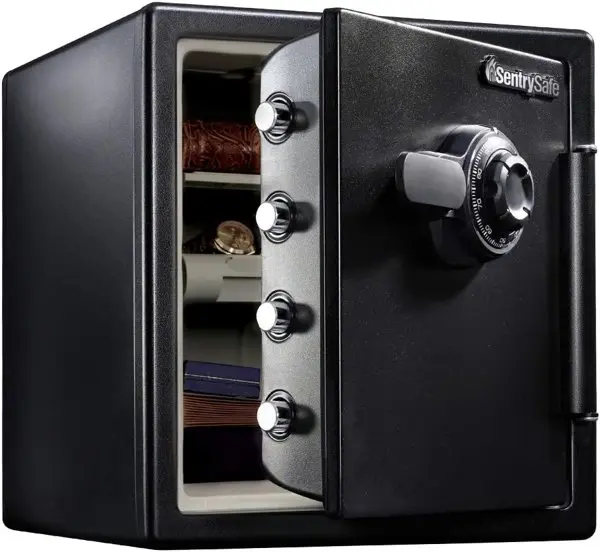
We push cloud backup for every client, and that should always be your main copy. But I also like having one offline copy in the building that a fire, a roof leak or a ransomware attack can’t touch. That copy needs a home, and that’s where a fire and water rated safe comes in. I use these myself, and they’re cheap insurance.
HenkTek may earn a small commission if you buy through links on this page, at no extra cost to you.
What to put in it
Keep it simple. A small external SSD like the Samsung T7 Shield with a recent full backup. A spare YubiKey so you can still get into your accounts if yours goes missing. Printed recovery codes for Microsoft 365, your password manager and your bank. A copy of your insurance policy and your IT contact list.
Swap the drive out every week or two so the copy in the safe is never too old. If you want help setting up a rotation, our backup and disaster recovery guide walks through it.
What to look for
Look for two ratings on the box. A UL fire rating tells you how long it holds up and at what temperature. An ETL water rating tells you how long it stays dry. For drives and USB keys, more fire time is better, because electronics can’t take as much heat as paper. One hour is a good target if you can swing it.
Also think about weight. A light chest is easy to grab when a storm is coming. A heavy safe is harder for someone to walk off with. Plenty of offices have one of each.
Small chest for the backup drive

Bigger safe that stays put
A few tips
Put the safe up off the floor if you can. Most of the damage we saw after Ian was from water, not fire. Don’t keep the only copy of the safe combo or key in the same office. And encrypt the backup drive, so if the whole safe walks out the door, the data is still locked.
A safe is your backup for your backup. It doesn’t replace cloud backup. Our hurricane IT prep checklist covers the rest.
Want help setting this up?
HenkTek handles IT for offices in Fort Myers, Cape Coral and around Southwest Florida. If you want someone to set up the backups, the offline copy and the rotation, take a look at our backup and recovery services or reach out for a free assessment. You can also call us at (239) 234-2334.







HenkTek is a local IT company in Fort Myers that looks after the technology Southwest Florida businesses depend on, from Cape Coral and Bonita Springs to Naples. We handle managed IT, cybersecurity, backups and help desk support, and we explain things in plain English.