

Offices all over Southwest Florida are swapping out computers this year. Windows 10 hit end of support, the new machines came in, and the leftover hardware went wherever leftover hardware goes, a closet, a storage unit, under the front desk. Donating it, selling it, hauling it to a recycler, all fine choices. But every one of those machines is still holding your business on its drive.
The other half of the cleanout: Wiping the drives is the part everybody remembers. The filing cabinet you empty on the same afternoon is the part that goes to the curb intact, so if there is no shredder in the office yet, P-4 vs P-5 covers which cut level you actually need.
Proper computer disposal in Fort Myers starts before anything leaves the building. Here’s what old machines still carry, how to wipe them so the data is actually gone, and where the hardware can go once it’s clean.
That old tower remembers everything
Think about what a five year old office PC has touched. QuickBooks backups. Saved browser logins for your bank, your email, your vendor portals, all sitting in a profile folder. Client contracts, scanned checks, employee W-2s, the payroll spreadsheet. Deleting those files just removes them from view. The data stays on the drive until something overwrites it, and free recovery software can pull it back in minutes. None of this takes a hacker, the tools are free and the how to videos are on YouTube.
A quick format doesn’t help much either, it only clears the index that tells Windows where files live. Researchers who buy secondhand drives keep finding recoverable data on a big share of them, sometimes whole customer databases from businesses that thought they had cleaned up. And if your company handles consumer credit information, the FTC Disposal Rule requires real destruction of that data before the hardware changes hands.
One more spot people miss: office printers and copiers. A lot of them have internal storage that keeps copies of scanned documents. If the copier is leased, ask the vendor what happens to that drive when the lease ends.
Computer disposal in Fort Myers: wipe first, always
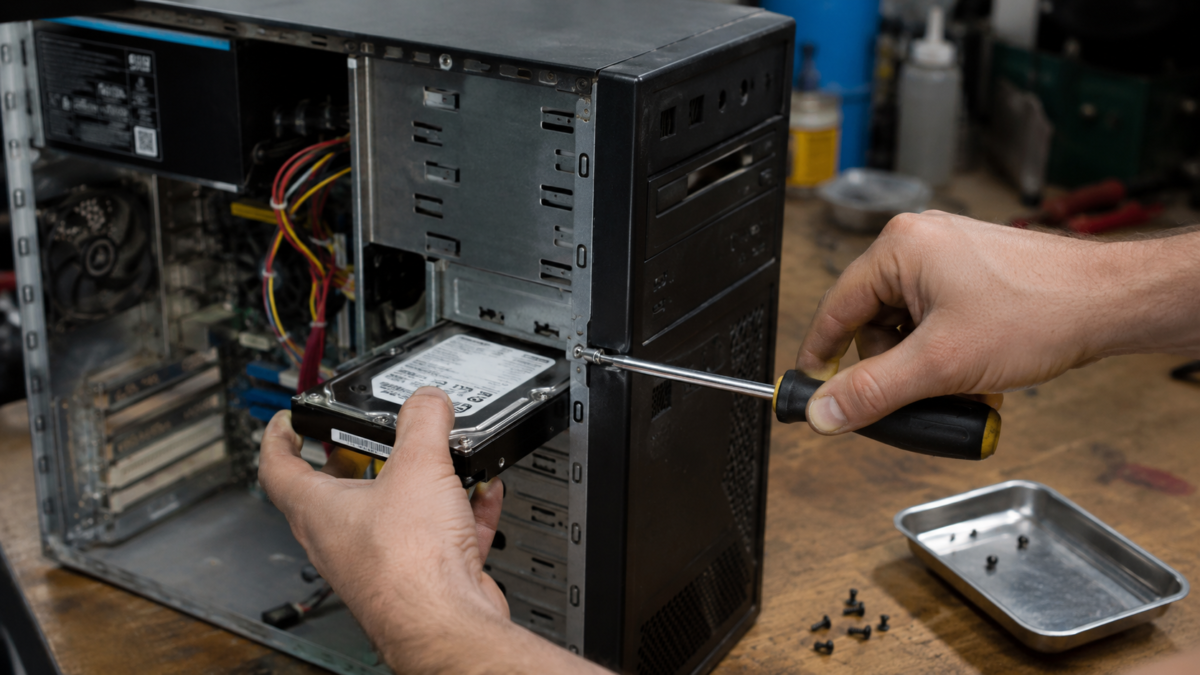
A real wipe overwrites every sector, and the right method depends on what you’re wiping.
For a working Windows machine, the built in reset does the job if you pick the right options. Settings, then Reset this PC, then Remove everything, and make sure the Clean data option is turned on. That pass can take a few hours, but it leaves the drive blank for real instead of blank looking. Budget an afternoon for the whole batch, the reset runs unattended, so start two or three machines in the morning and check on them after lunch. For drives pulled from dead machines, a cheap USB dock plus a wipe utility works fine, or skip straight to physical destruction. A drill through the platters ends the conversation.
Solid state drives play by different rules. Overwriting doesn’t reliably touch every cell, so use the manufacturer’s secure erase tool, Samsung Magician or Crucial Storage Executive for example, or turn on BitLocker first and then reset the machine so anything left behind stays scrambled. The deep technical standard here is NIST SP 800-88 if you want bedtime reading. Laptops follow the same playbook. And don’t forget the drawer of retired phones, a factory reset on a modern iPhone or Android wipes the encryption keys and is good enough for most small offices.
A quick word on folk remedies. Running a magnet over a modern drive does close to nothing, and smashing the case without hitting the platters mostly makes a dented case. If you’re going the destruction route, the platters themselves have to be drilled, shredded, or bent. For SSDs the chips have to break, which is why shredding services exist.
Short on time? Pull the drives and keep them. A donated tower with no drive in it is completely normal, refurbishers see it every day. Toss the pulled drives in a locked drawer and deal with them in one batch later, that beats letting a half wiped machine out the door because the reset was taking too long.
Bigger companies log all of this and it’s a habit worth stealing. Which machine, which drive serial, wiped or destroyed, on what date. If a client or an insurance carrier ever asks how you handle old equipment, you have an answer on paper.
Where old machines can go in Lee County
Once the drives are clean you’ve got options. Lee County Solid Waste runs electronics recycling drop offs, and cities from Cape Coral down to Naples hold e-waste collection events through the year. Working machines are better off donated. Schools and nonprofits will usually take a functional desktop, and thrift stores accept computers in about any condition. Some local repair shops buy old machines for parts too, worth a call before you haul a whole load.
Before donating, sign out of anything tied to the hardware. Deactivate Microsoft and Adobe licenses, unpair the machine from your accounts, peel off the asset tags. Selling is fine as well, there’s a steady market for used office hardware, just be straight about the age and specs.
The one thing not to do is leave them at the curb. Dumping electronics can draw fines, and a curbed PC is a free data grab for whoever drives past first.
Still running Windows 10 on machines you haven’t replaced yet? Our Windows 10 support guide walks through the realistic options.
Want help clearing out the old machines?
HenkTek handles this for offices around Fort Myers. We move your data onto the new machines, wipe or destroy the old drives with documentation to show for it, and point whatever’s left to the right recycler. One visit and the closet is empty.
Call (239) 234-2334 or reach us through our contact page to set up a free consultation. You can see the rest of what we do at henktek.com.

HenkTek is a local IT company in Fort Myers that looks after the technology Southwest Florida businesses depend on, from Cape Coral and Bonita Springs to Naples. We handle managed IT, cybersecurity, backups and help desk support, and we explain things in plain English.